Guide
How to Watermark a PDF with DRAFT or CONFIDENTIAL
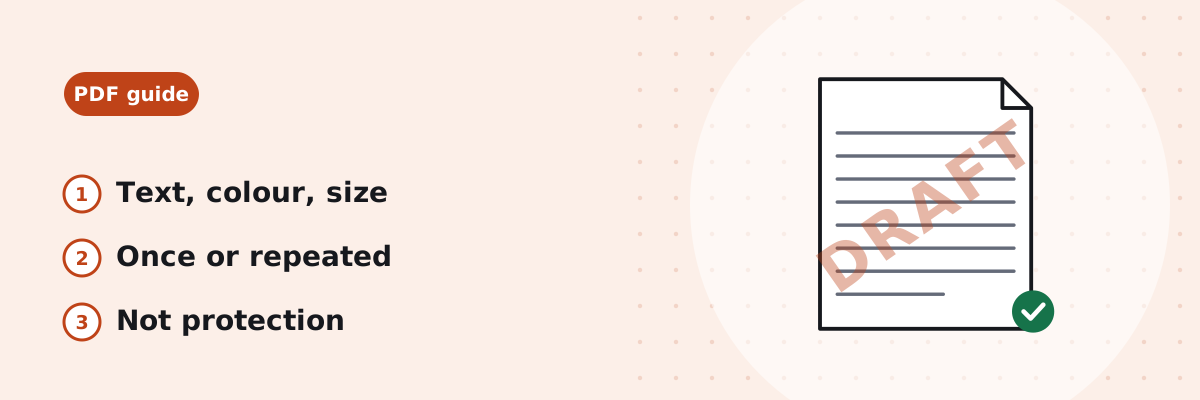
A draft sent for comments, a sample sent before payment, or a report that must not be forwarded: a watermark says so on every page. This guide shows how to add one in your browser, which settings keep the page readable, what a watermark does not do, and what happened in our test.
Published
How to add the watermark in your browser
- Open Watermark PDF and choose the PDF, up to 200 MB.
- Type the Watermark text, up to 60 characters, or click a quick choice.
- Under Direction, keep Diagonal (across the page at 45°) or choose Straight. Under Placement, keep Once, in the middle or choose Repeated for small marks covering the whole page.
- Leave Size on Auto (fit the page) or pick a fixed size from 8 to 200 pt; set Transparency and Colour (Grey, Red, Blue, Black or a custom colour).
- Check the preview, click Add watermark, and download the file. It is named like the original with “-watermarked” added.
The text is drawn in Helvetica Bold on top of each page’s content, with the transparency you set, so the page underneath stays readable. Nothing else on the page is changed. Rotated pages get the watermark turned to match, so it reads the same way as the page. Password-protected PDFs need to be unlocked first.
Settings that stay readable
- For a draft: DRAFT, diagonal, once, grey at 20–30%. It is visible on screen and when printed without hiding the text.
- For a confidential file: CONFIDENTIAL in red, diagonal, once. Keep the transparency low enough that the page can still be read.
- To discourage copying: Repeated placement puts dozens of small marks across the page, so a cropped screenshot still carries one.
- Same look on every page: Auto sizes the text to each page, so a landscape page gets a different size from a portrait one. Pick a fixed size when every page should match exactly.
- Dark scans: on a dark or busy page a grey mark disappears. Try black or red, or raise the visibility.
What text you can use
The watermark uses a standard PDF font, which covers letters, numbers and the usual punctuation and symbols of European languages. Urdu, Arabic, Chinese and emoji cannot be drawn with it; the tool names the characters it cannot draw before anything happens. Text in those scripts needs an embedded font, which this tool does not add yet.
What happened in our test
This is one test on 20 October 2026, run with the tool’s own code on a 12-page A4 report of 11,391 bytes. With Auto size, the text is made to span about 60% of the page diagonal (diagonal) or 70% of the page width (straight); repeated marks are a third of that:
| Text | Diagonal, once | Straight, once | Repeated |
|---|---|---|---|
| DRAFT | 183 pt | 123 pt | 61 pt |
| CONFIDENTIAL | 83 pt | 56 pt | 28 pt |
| SAMPLE | 148 pt | 100 pt | 49 pt |
| DO NOT COPY | 89 pt | 60 pt | 30 pt |
- DRAFT, diagonal, once, Auto, grey at 30%: 12 pages marked; the file is called report-watermarked.pdf and is 14,635 bytes.
- SAMPLE, repeated at a fixed 24 pt: 60 marks on each A4 page; the file grew to 39,474 bytes.
- DRAFT, straight, on a file with one page rotated 90°: the mark sits across the middle of each page as displayed, and the original text is still selectable text.
- The word مسودہ (Urdu for draft): refused, with the characters that cannot be drawn listed.
If you still have the Word document
Word adds watermarks itself: choose Design › Watermark and pick DRAFT or CONFIDENTIAL, or a custom text watermark with your own font, size, colour and layout1. Then export the PDF, or use Word to PDF.
Common questions
Does a watermark protect my PDF?
No. It tells readers how to treat the file, and it survives printing and screenshots, but a PDF editor can remove it. Protection against opening or copying needs a password and permissions set in a PDF app.
Can I remove a watermark with this tool?
No. Watermark PDF only adds text. If you have the original unmarked file, use that.
Can I use a logo or picture as the watermark?
Not here: the tool draws text only. Word’s Watermark menu can insert a picture watermark before you export the PDF.
Can I watermark only some pages?
The tool marks every page. To mark part of a file, split it with Split PDF, watermark the part, and merge the parts again with Merge PDF.
Why can I not type Urdu or Arabic?
The standard PDF fonts the tool uses do not contain those letters, and the tool does not embed other fonts yet. It lists the characters it cannot draw so you can change the text.
Sources
- Microsoft Support: Insert a watermark in Word — Design › Watermark; preset DRAFT and CONFIDENTIAL, or a custom text or picture watermark.